

| Smallest unit of digital data | Bit (0 or 1) |
| Bits in one byte | 8 bits |
| Bytes in one kilobyte | ~1,000 bytes |
| KB in one megabyte | ~1,000 KB |
| MB in one gigabyte | ~1,000 MB |
| GB in one terabyte | ~1,000 GB |
| Typical email attachment limit | 25 MB (Common limit among major email providers) |
| Average smartphone photo size | 2-5 MB (Varies by device and quality setting) |
Why File Sizes Feel Confusing (And Why They Don't Have To)
If you've ever tried to email a photo and gotten a "file too large" error, or wondered why your phone storage fills up so fast, you've already bumped into digital file sizes. The units - bits, bytes, kilobytes, megabytes, gigabytes - sound technical, but they follow one simple pattern: each step up is roughly 1,000 times bigger than the one before it.
Think of it like units of length. An inch is small. A foot is bigger. A mile is much bigger. File sizes work the same way, just with data instead of distance.
| Smallest unit of digital data | Bit (0 or 1) |
| Bits in one byte | 8 bits |
| Bytes in one kilobyte | ~1,000 bytes |
| KB in one megabyte | ~1,000 KB |
| MB in one gigabyte | ~1,000 MB |
| GB in one terabyte | ~1,000 GB |
| Typical email attachment limit | 25 MB (Common limit among major email providers) |
| Average smartphone photo size | 2-5 MB (Varies by device and quality setting) |
Once you understand the base units, you can decode almost any storage or file-size label you'll encounter - on your phone, laptop, email attachment limits, or cloud storage plans.
The Building Blocks: Bits and Bytes
A bit is the smallest unit of digital information. It holds exactly one value: a 0 or a 1. Everything your computer stores or transmits is ultimately made of these tiny on/off signals.
A byte is a group of 8 bits. One byte can represent a single character - like the letter "A" or the number "7." That's still tiny. Most real files are thousands or millions of bytes in size, which is why we use larger units in everyday conversation.
Bit
The smallest unit of digital data, representing a single binary value: 0 or 1. Eight bits make one byte.
Byte
A group of 8 bits. One byte can represent a single character, such as a letter or digit. Larger units are built from bytes.
Kilobyte (KB)
Approximately 1,000 bytes. Kilobytes are used for small files like text documents and short emails.
Megabyte (MB)
Approximately 1,000 kilobytes, or one million bytes. Photos, songs, and small software files are typically measured in megabytes.
Gigabyte (GB)
Approximately 1,000 megabytes. Phone storage, video files, and app sizes are usually described in gigabytes.
Terabyte (TB)
Approximately 1,000 gigabytes. Terabytes are the standard unit for hard drive capacity and large cloud storage plans.
Compression
A process that reduces a file's size by encoding its data more efficiently. Compressed files take up less storage space but may lose some quality depending on the method used.
Mbps (Megabits per second)
A unit measuring internet or data transfer speed. Because it uses bits - not bytes - you divide by 8 to find how many megabytes per second can be transferred.
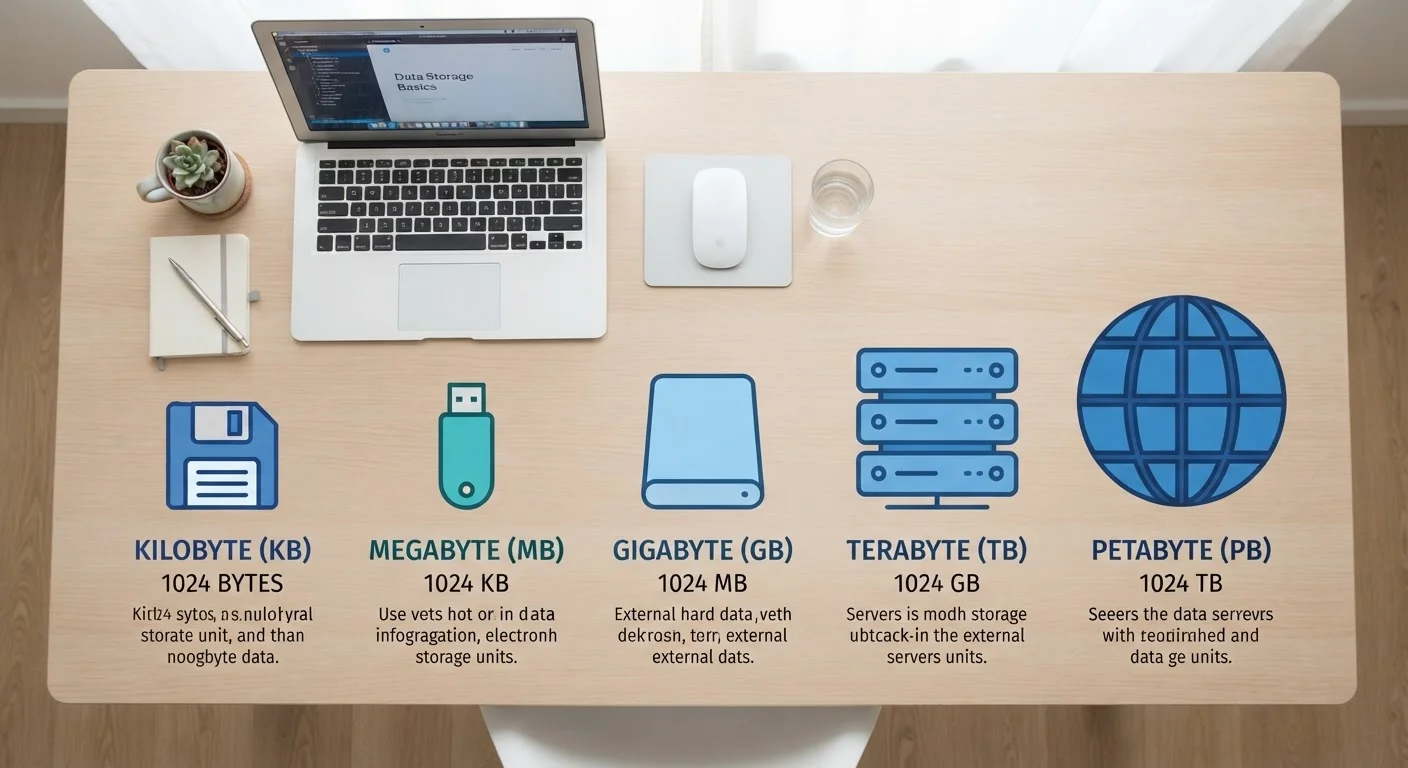
Here's how the common units stack up:
- 1 Kilobyte (KB) = 1,000 bytes - about the size of a short text email
- 1 Megabyte (MB) = 1,000 KB - a typical smartphone photo is 2-5 MB
- 1 Gigabyte (GB) = 1,000 MB - roughly 250 smartphone photos, or about an hour of HD video
- 1 Terabyte (TB) = 1,000 GB - used for full hard drives and large cloud storage plans
You may also see a slight variation: some systems use 1,024 instead of 1,000 as the multiplier, which is why storage devices sometimes show slightly less space than advertised. Both conventions are in common use - the difference rarely matters for everyday decisions.
Real-World Examples That Make It Click
Abstract numbers are easier to understand when you tie them to everyday files. Here are some rough, general ranges to give you a practical sense of scale:
| File Type | Typical Size |
|---|---|
| Plain text email (no attachments) | 5-20 KB |
| Smartphone photo (standard quality) | 2-5 MB |
| 3-minute MP3 song | 3-5 MB |
| 1-hour HD video stream | 1-2 GB |
| Large software application | 1-4 GB |
| Full movie download (HD) | 4-8 GB |
Sizes vary based on quality settings, compression, and format, so treat these as general guides rather than exact figures. If you're managing digital documents at home, organizing your digital files is much easier once you understand what you're actually storing and how much space it consumes.
8 bits
Make up a single byte
This fixed relationship is foundational to how all digital storage units are calculated.
~1,000×
Size jump between each unit
Each step from KB to MB to GB to TB represents roughly a thousandfold increase in storage capacity.
25 MB
Typical email attachment cap
Most major email providers limit attachments to around 25 megabytes per message.
Putting It to Use: Storage, Uploads, and Transfer Speeds
Knowing file sizes helps in three practical situations:
- Managing device storage: If your phone shows "14 GB used of 64 GB," you know you've used about 22% of its capacity. Deleting a few large video files can free up significant space.
- Sending attachments: Most email providers cap attachments at 25 MB. A single high-resolution photo can approach that limit. Compressing the file or using a file-sharing link is a common workaround.
- Understanding internet speeds: Internet speeds are measured in megabits per second (Mbps) - note the lowercase "b" for bits. To convert to megabytes, divide by 8. A 100 Mbps connection can download about 12.5 megabytes per second. That's why the unit matters: bits and bytes are not the same thing.
For a broader look at digital terminology that trips up beginners, see common tech terms explained in plain English.
Bits vs. Bytes: Watch the Capitalization
A lowercase "b" in a unit abbreviation usually means bits (e.g., Mbps = megabits per second). An uppercase "B" usually means bytes (e.g., MB = megabytes). This distinction matters most when reading internet speed specs, where mixing them up can lead to real confusion about how fast files will actually download.