

Key Takeaways
Why Phishing Has Become So Convincing
Phishing - the practice of sending deceptive emails designed to steal passwords, financial information, or personal data - has existed for decades. What has changed is how polished and targeted these attacks have become. Early phishing emails were riddled with spelling errors and used generic greetings like "Dear Customer." Today, scammers use real company logos, professionally written copy, and personalized details harvested from social media or data breaches.
This sophistication means that even tech-savvy people get fooled. According to the cybersecurity organization the Anti-Phishing Working Group (APWG), phishing attacks have remained one of the most common forms of cybercrime year after year. Understanding why these emails fool us is the first step to spotting them.
For broader strategies beyond email, see our guide on everyday digital security habits that meaningfully reduce your risk.
Common Mistakes People Make - and How to Avoid Them
Most people who fall for phishing emails aren't careless - they're simply unaware of the specific red flags to look for. The mistakes below are the most common entry points, along with practical ways to protect yourself.
Trusting the display name instead of checking the actual email address.
Why it happens: Email clients prominently show a friendly name - like "PayPal Support" - while hiding the underlying address. Scammers exploit this by setting any display name they want.
Clicking links embedded in the email without verifying the destination.
Why it happens: Links can display one text but point to an entirely different URL. When readers are in a hurry, they click without pausing to check.
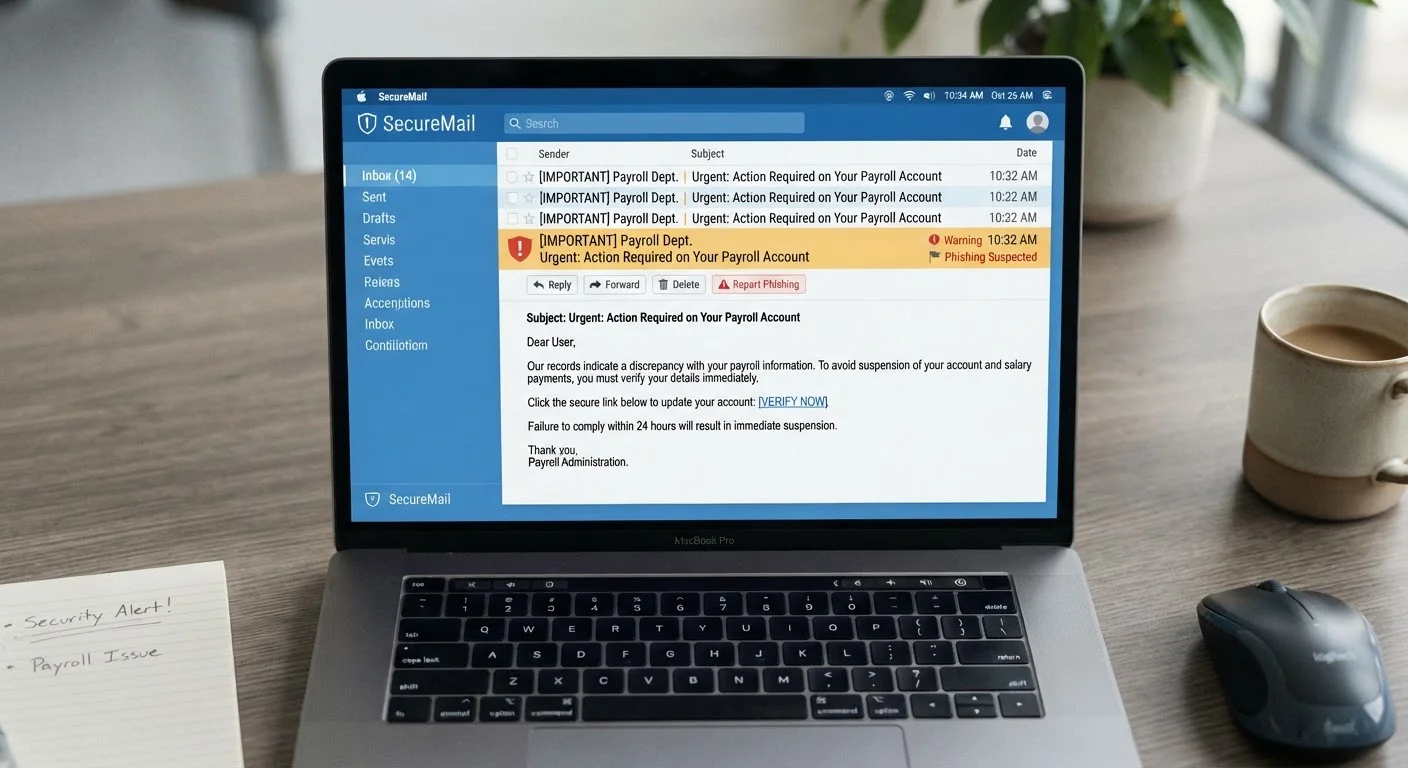
Responding to artificial urgency - threats of account suspension, missed deliveries, or expiring offers.
Why it happens: Urgency triggers an emotional, fast response. Scammers deliberately create panic so you act before you think.
Assuming an email is safe because it looks professional or uses a familiar logo.
Why it happens: Copying a brand's logo, color scheme, and email template is straightforward for anyone with basic design tools. Visual familiarity creates false trust.
Downloading attachments from unexpected or unverified senders.
Why it happens: Attachments framed as invoices, shipping notices, or shared documents seem routine - people open them out of habit.
3.4 billion
Phishing emails sent globally per day
Security researchers estimate that billions of phishing messages are sent every day, making it one of the most widespread cyber threats worldwide.
36%
Of data breaches involving phishing
According to Verizon's Data Breach Investigations Report, phishing is consistently implicated in a significant share of confirmed data breaches each year.
A Practical Checklist Before You Click Anything
Adopting a brief mental checklist before acting on any email can dramatically reduce your risk. Run through these questions whenever a message asks you to click, log in, download, or share information:
- Did I expect this email? Unsolicited messages requesting action deserve extra scrutiny.
- Does the sender address match the organization exactly? Look past the display name to the actual email address.
- Where does the link actually go? Hover over any link - without clicking - to see the real destination URL in the bottom corner of your browser or email client.
- Is the message creating pressure or urgency? Treat that as a warning sign, not a reason to rush.
- Can I verify this independently? Go directly to the company's official website or call their published number.
Never Enter Credentials Through an Email Link
If an email directs you to a login page, close the email and navigate to the website yourself by typing the address directly into your browser. Even a convincing login page reached through an email link could be a fake designed to capture your username and password. This single habit blocks one of the most common phishing techniques.
Writing clear, professional emails yourself also helps you recognize when something is off in the messages you receive. Our article on why emails get ignored and how to fix that covers the habits that distinguish credible communication.